> For the complete documentation index, see [llms.txt](https://docs.reveald.com/technical-documentation/llms.txt). Markdown versions of documentation pages are available by appending `.md` to page URLs; this page is available as [Markdown](https://docs.reveald.com/technical-documentation/data-sources-early-access/vmware-vsphere/assign-read-only-permissions-to-vcenter.md).
# Assign Read-Only permissions to vCenter
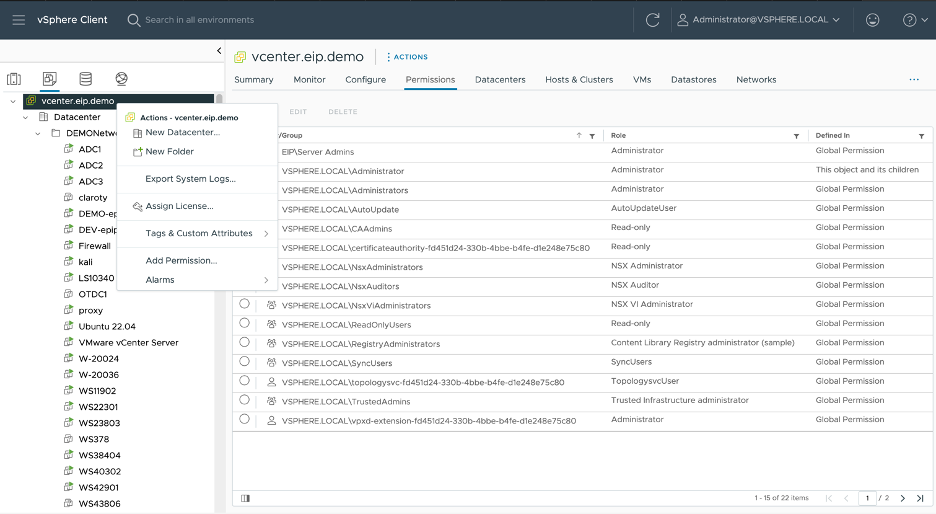
Navigate to the Inventory page, right click on the vCenter server at the top of the hierarchy and choose “Add Permission”
In the Add Permission Dialog, enter our user account, choose the “Read Only” role, and select the “Propagate to Children” check box and click “OK.” This will allow us to retrieve information for objects within the vSphere infrastructure.